Showing posts with label PC Solution. Show all posts

Saturday, 22 November 2025

How To Use Ai to Grow Your Social Media Presence in 2025

How To Use Ai to Grow Your Social Media Presence in 2025


Supercharge Your Social Media in 2025: An AI-Powered Guide


The social media landscape is constantly evolving, and staying ahead of the curve is crucial for anyone looking to build a strong online presence. In 2025, Artificial Intelligence isn't just a buzzword – it's your secret weapon. AI tools are becoming incredibly sophisticated, offering unparalleled efficiency and insights that can take your social media strategy from good to great.

Here's how you can leverage AI to grow your social media presence in 2025:

1. Content Creation & Curation: Never Run Out of Ideas

One of the biggest challenges for social media managers is consistently generating fresh, engaging content. AI-powered content generators can help you brainstorm ideas, write captions, and even create visuals in a fraction of the time.

Imagine having a virtual assistant that can analyze trending topics, your audience's interests, and your brand's voice to suggest relevant content. Tools powered by large language models (LLMs) can draft blog posts, tweet threads, Instagram captions, and even video scripts based on a few keywords.

Beyond text, AI image and video generators are making it easier to produce stunning visuals without extensive design skills. You can generate unique graphics, modify existing images, and even create short animations tailored to your brand's aesthetic. This not only saves time but also ensures a consistent and professional look across all your platforms.

2. Hyper-Personalized Engagement: Connecting on a Deeper Level

Gone are the days of generic responses. AI-driven tools can help you understand your audience on a granular level, allowing for hyper-personalized interactions that build stronger connections.

AI sentiment analysis can monitor comments and messages to gauge audience mood and identify common questions or concerns. This allows you to respond more effectively and empathetically. Furthermore, AI chatbots are becoming increasingly sophisticated, capable of handling customer service inquiries, answering FAQs, and even guiding users through sales funnels, all while maintaining a consistent brand voice.

Good Luck Guys!!

Saturday, 17 February 2018

How to speed up a slow PC without any Software or formatting - windows 7,8,10

How to speed up a slow PC without any Software or formatting - windows 7,8,10

How to speed up a slow PC without any Software or formatting - windows 7,8,10

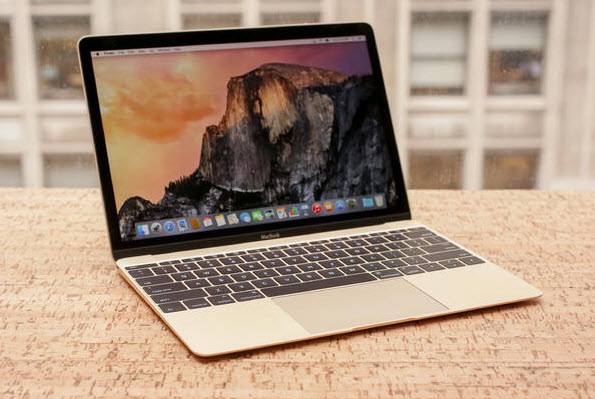
A laptop image
A laptop - windows 7,8,10

I was having this serious problem of slow and hanging processes on my laptop, it seemed almost impossible to work or do anything on my laptop, so I had to do a research and I found out this great solution which solved the problem of slowing down or hanging on my laptop without using any software or formatting the system, so I decided to share it with you guys, you might have the same problem and looking for solution, search no more because you have found it.

I’m just going to laydown the processes with the help of images to help you understand and be able to do it without much struggle.
Okay. Let’s start.

1.  Click on “Start Menu” click on search and type “msconfig” without the quotes.


2. Click on msconfig or press enter.


3. Select the “General Option” now check the “selective start” option and un-tick “load startup items”.


4. Select the “Service” option, tick the “Hide all Microsoft services”, now after ticking this option.


5. Click on “Disable all” option.


6. Click on “Apply” and “OK”. The system will ask you to restart or restart later. Choose restart and allow the system to restart.


Now you’re PC is working fine again. Share if it worked for you or feel free to ask questions or leave a comment.

Good luck.

Tuesday, 25 July 2017

How to Host Website on Your Own PC [Web design and development]

How to Host Website on Your Own PC [Web design and development]

Your website using your own home PC, hosting from your PC will give you little bit experience of how hosting services work.


You can try it for small website or personal work.

To run your PC as server there are lot of software but top most popular is WAMP server and XAMP server. Here I'm using WAMP server.

So , let's start our hosting:

Here I'm using WAMP server, you can download latest version from  >>>>>>>HERE<<<<<<<
and install it, after then add the security exception for Apache in Windows Firewall.

Now after installation:


1. Go to your browser and type localhost: just only to make sure that you properly installed and configured WAMP. (If localhost opens WAMP homepage in your browser it mean you are ready to rock with your PC).

2. Now click on WAMP icon placed in taskbar like this and then click on www directory.

3. Copy your website content and pages in www directory. Example: I made a webpage and copied it in www directory.

4. Now go back to your browser and type localhost/mywebsite (replace mywebsite with your website page) in URL bar, you'll see your website open.

Congrats!!! your website is up and running.

N.B: But this only works on LAN.

If you want to host it on WAN then you need a static IP (i.e. A static IP address is a number {in the form of a dotted quad} that is assigned to a computer by an internet service provider (ISP) to be its permanent address on the internet).

Use your IP in URL bar instead of localhost then it will work on WAN means you can access your website anywhere in the world.

Good luck!! Leave us a comment in the comment box below in case of any question.


Friday, 7 July 2017

[SOLVED] HOW TO SOLVE "MTP a service installation section in this INF is invalid" [while installing a driver]

[SOLVED] HOW TO SOLVE "MTP a service installation section in this INF is invalid" [while installing a driver]


Hi. Fellow PC users!!! :-) 


Ever come across MTP a service installation section in this INF is invalid while trying to install an MTP device, well today I'll teach you how to get it solved with no stress, at times it could be frustrating trying to use your device on a PC and keeps on getting this error.

Now follow this simple steps accordingly and you'll get it solved ASAP!!!.